Run it inside your editor.
Works as a plugin in DaVinci Resolve Studio and Premiere Pro. Select the footage you want to sync, and SyncLab does the rest.
Made by editors who got tired of syncing big shoots by hand. Drop in your footage and audio. Seconds to minutes later you have a synced timeline in DaVinci Resolve or Premiere Pro.
Runs onWindowsMac (Apple Silicon). No card needed.Then $9.99 a month — see pricing
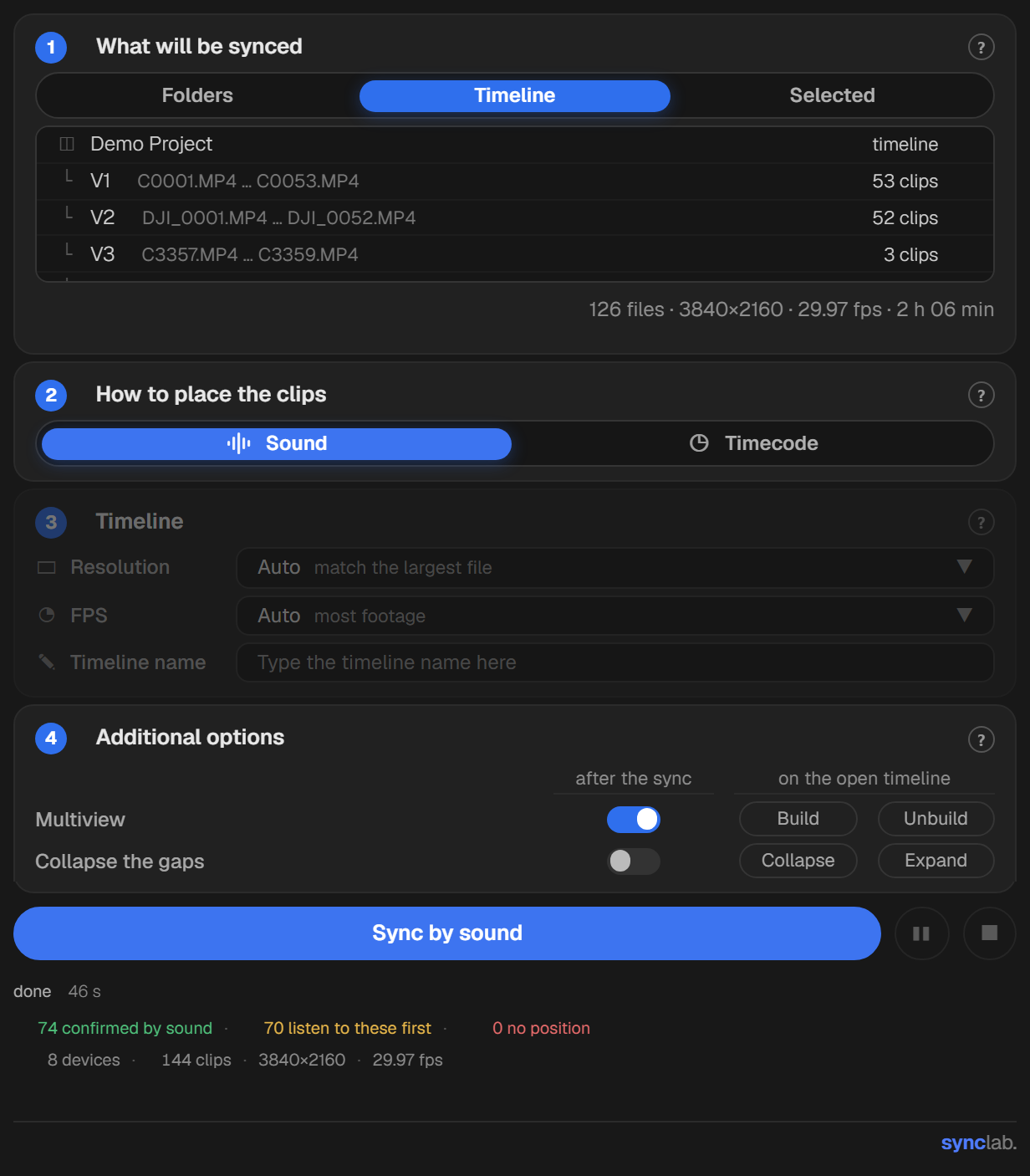
Every camera, phone and recorder at once, in as many folders as you like. Choose sound or timecode and press one button.
An app for your Mac or PC, and a plugin inside each of the two editors. All three are on one license.
Pick how clips are placed. By sound, SyncLab listens to every file and lines them up. By timecode, each clip goes to the code its camera wrote.
When you sync by sound, every clip SyncLab matches by its sound turns green. A clip with nothing to match is placed by its clock and turns yellow, so you know which few to check.
Every camera gets its own tile in one preview, fitted to the sequence's frame, so you can check the sync right away without building a multicam sequence.
Squeeze out the gaps between takes. Clips that overlap move as one piece, so their sync can't change. In your editor it builds a second, collapsed timeline and leaves the original as it was.
Video is cut into frames, sound is not. Each audio file starts exactly where it belongs, between the frame lines, instead of snapping to the nearest one.
When you sync a timeline in Premiere Pro or DaVinci Resolve, SyncLab first saves a copy of it named “… before SyncLab”. You can always go back to the version you had.
An XML for Premiere Pro or DaVinci Resolve, ready the moment you click.
A file copied twice is recognized and skipped. A damaged file is set aside with a note on what's wrong, and everything else still syncs.
Cameras, phones, drones, webcams and recorders, each at its own frame rate, some with several audio tracks in one file. They all land on one timeline. No limit on files.
Works as a plugin in DaVinci Resolve Studio and Premiere Pro. Select the footage you want to sync, and SyncLab does the rest.
Syncing runs entirely on your computer. Footage and audio are never uploaded, so material under NDA stays with you.
Prices are in US dollars and shown without tax. Sales tax or VAT is added at checkout where your country requires it, and outside the United States checkout may show and charge the equivalent in your own currency at the payment provider’s rate — so the total you confirm may differ from the figure above. You see it before you pay, never after.